Claude (updated 25 Aug 2026) stores memory as a visible list of individual, editable topics you can open and correct one at a time; it excludes sensitive subjects like health and politics by default. ChatGPT moved the opposite direction in a June 2026 overhaul: instead of relying only on the facts you explicitly ask it to remember, it now continuously re-synthesizes what it knows about you in the background, which is more automatic but harder to fully audit. Gemini sits in between: an explicit "Saved Info" list plus a separate personalization layer drawn from your stored Gemini activity, both manageable from account settings. Gemini Notebook (formerly NotebookLM) isn't really comparable at all: it has no cross-session memory of you; it answers strictly from the documents you upload to that specific notebook.
Most existing "ChatGPT vs Claude memory" content online predates both the June 2026 ChatGPT change and the August 2026 Claude update, so it's describing products that no longer work the way it says.
If you use more than one of these tools for research, coursework, or ongoing projects, the differences aren't cosmetic. They change what you have to check before you trust a follow-up answer, and what actually happens to something you'd rather the assistant forget.
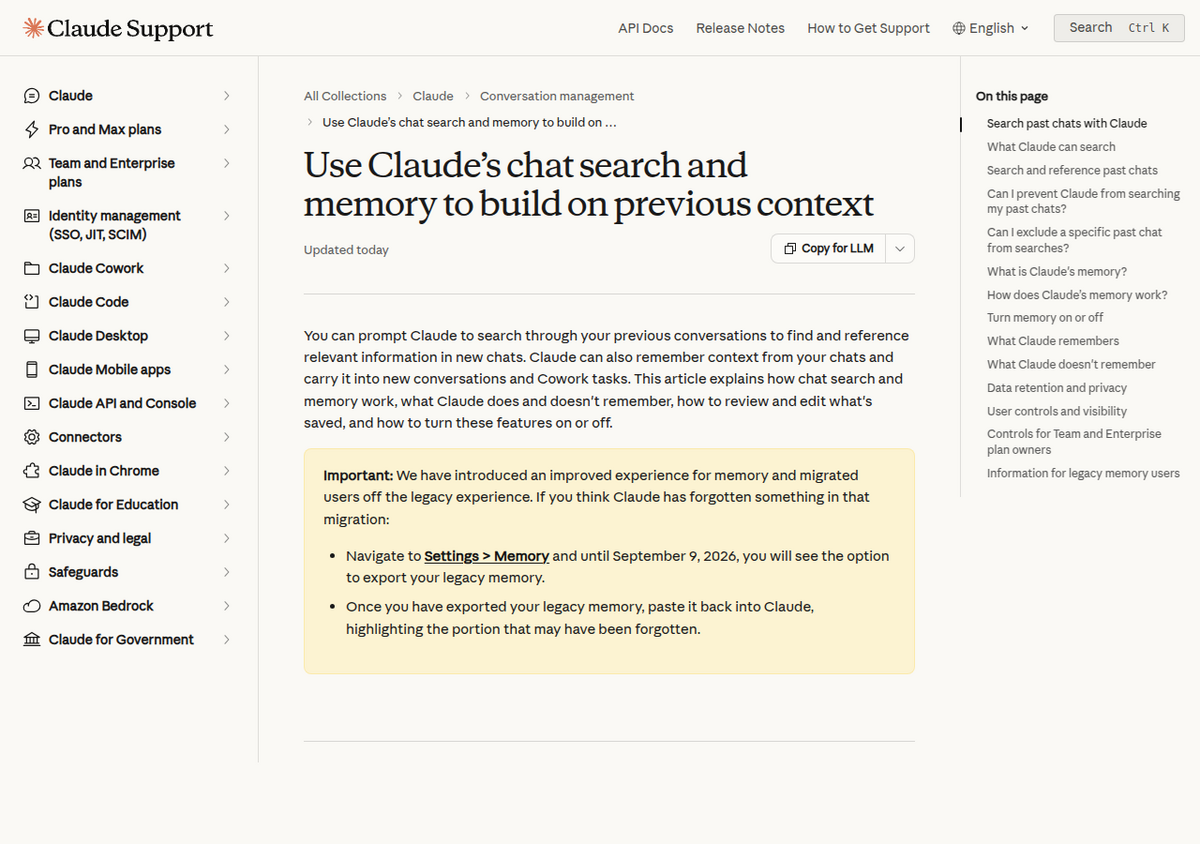
Claude's memory: an editable list, siloed by Project
As of Anthropic's 25 August 2026 update, everything Claude remembers appears as an individual entry under Settings > Memory > Topics. You can open any single topic, correct it, or delete it. Anthropic's own example is fixing one factual error (a mislabeled company name) and having every future conversation pick up the fix automatically. Memory is written live, during the conversation, rather than summarized after the fact, and as of this update it's shared between Claude.ai chat and Claude Cowork sessions rather than kept as two separate pools. One deliberate limit: memory tied to a Claude Project stays siloed from your general memory and from other Projects. A research project's memory doesn't bleed into an unrelated one.
Sensitive categories, including health, race and ethnicity, religion, political views, and gender identity, are excluded from memory by default, with an explicit opt-in toggle and a save-time notification if you turn it on. Full details are in our Claude memory update guide.
ChatGPT's memory: it quietly stopped being just a list
ChatGPT's older, still-documented mechanics have two parts: "Reference saved memories" (explicit facts you or ChatGPT flag, like "remember that I'm vegetarian," that persist until deleted) and "Reference chat history" (an implicit signal ChatGPT infers from past conversations, which can shift over time). Both are separately toggleable in Settings > Personalization > Memory.
What most comparison content misses is that OpenAI rebuilt the underlying mechanism starting 4 June 2026, in an update OpenAI announced and several outlets went on to call "Dreaming V3." Instead of relying on that curated list as the primary store, ChatGPT now runs a background process that reviews your chat history after sessions end and rewrites its own synthesis of what it knows about you, without you needing to say "remember this." OpenAI's own example: a saved fact like "user is going to Singapore in July" automatically updates to "user went to Singapore in July 2026" after the trip, with no manual correction. A Memory Summary Page groups this into categories, like work, hobbies, and travel, that you can review and correct, but it's coarser-grained than Claude's per-topic file list. You're auditing categories of inference, not a flat list of discrete facts.
This rollout reportedly started with Plus and Pro accounts in the US, with expansion to Free and other countries planned for "coming weeks" as of the June announcement; we could not independently confirm whether that expansion has fully completed as of this writing, so if you're on a Free ChatGPT account or outside the US, verify what you're actually seeing in Settings > Personalization before assuming you have the newer system.
ChatGPT does have one form of scoped memory Claude's topic list doesn't map onto directly: project-only memory, which launched in August 2025 and has continued to expand since. A ChatGPT Project can be set to draw only on that project's own conversations rather than your global memory pool, and as of a 2026 update, existing unshared Projects can toggle this after creation rather than only at setup. The key difference from Claude is that Claude's per-Project silo is automatic and always on, while ChatGPT's is opt-in per Project; a default (non-project) ChatGPT conversation still pulls from the same global memory as everything else.
Gemini: an explicit list, plus activity-based personalization
Per Google's own Gemini Apps Privacy Hub, Gemini's memory has two distinct layers. Saved Info is an explicit list of facts you give it directly, viewable and editable at gemini.google.com/saved-info, and it persists until you delete it. It's functionally the closest thing to Claude's topic list. Separately, Gemini Apps Activity stores your interaction history (including audio, screenshots, and usage patterns, if "Keep Activity" is on), and Gemini can draw on that stored activity to personalize future responses, which is the layer closer to ChatGPT's inferred, background-synthesized memory. Disabling Keep Activity, or deleting specific past chats, excludes that content from personalization going forward. Training is tied directly to the same toggle: leaving Keep Activity on means your chats can be used to improve Google's models; turning it off stops that for future conversations. Gemini's memory features are also unavailable on Google Workspace (work/school) accounts, which run under separate terms.
Gemini Notebook: not memory, a fixed set of sources
It's worth being precise here, since the products' overlapping names invite confusion: Gemini Notebook (renamed from NotebookLM in July 2026) does not have cross-session memory of you the way chat assistants do. It answers strictly from the sources you've uploaded into a specific notebook, and one notebook can't reach into another. That's a different design goal entirely, grounding every answer in a fixed, inspectable set of documents, rather than accumulating facts about you over time the way Claude, ChatGPT, and Gemini's chat products do. The one caveat: Google now lets you attach a Gemini Notebook notebook directly inside a Gemini app conversation, so that linked chat's context can surface inside the notebook too, a feature covered in more depth in our Gemini Notebook vs Gemini comparison. That's a bridge between the two products, not memory the notebook itself accumulates on its own.
Side by side
                  Claude               ChatGPT               Gemini
--------------------------------------------------------------------------------------------
How it's built    Live, topic-by-      Background synthesis    Explicit Saved Info list +
                   topic, as you       after sessions           activity-based personalization
                   chat                 ("Dreaming V3",
                                        since Jun 2026)
What you audit     A flat list of      Grouped categories       A flat Saved Info list, plus
                   discrete, named     (work, hobbies,          a separate activity toggle you
                   topics               travel), coarser         can only turn fully on/off
                                        grained
Sensitive data     Off by default,     No dedicated category-   No dedicated sensitive-topic
                   explicit opt-in,    level toggle found in     toggle found; governed by the
                   save-time notice    our research               general activity setting
Cross-surface      Yes, chat and       N/A (single surface)     N/A (single surface)
                   Cowork share it
Siloed by          Yes, per Project,   Yes, per Project, but    N/A
project/context    automatic           opt-in, not automatic

Verified 26 Aug 2026 against each company's own documentation; ChatGPT and
Gemini specifics sourced partly from search-indexed help-center content.
What can actually go wrong
- Surprising inferences. Independent write-ups of ChatGPT's memory have documented it surfacing something a user never explicitly stated, inferred instead from an earlier, unrelated conversation, then applied somewhere it didn't fit. Automatic, background-built memory makes this kind of drift more likely than a system where every entry has to be explicitly reviewed.
- Cross-topic bleed outside a Project. ChatGPT's project-only memory has to be turned on for a given Project; a default conversation still draws on the shared global pool, and users have reported context from one topic surfacing uninvited in an unrelated one there, a coding question pulling in unrelated personal context, for instance.
- Memories disappearing outright. TechRadar reported users finding ChatGPT's saved memories blank or reset without warning, with no bulk-restore option; OpenAI's status page later confirmed a partial recovery for a subset of affected users, but not everyone. Anything permanently lost has to be manually re-added one item at a time.
- Assuming private/incognito modes mean instant deletion. All three products offer a temporary or incognito mode that skips memory and history, but none of them mean the underlying conversation vanishes immediately. Each vendor's own documentation describes a retention window (commonly cited around 30 days) kept for safety and abuse-review purposes even in these modes.
How to actually wipe what each one remembers about you
- Claude: Settings > Memory > Topics to delete individual entries, or "Reset memory" for a full, irreversible wipe. "Pause memory" stops new saves without deleting what's already there.
- ChatGPT: delete individual memories from the Memory Summary Page, or Settings > Personalization > Manage Memory to clear everything at once.
- Gemini: delete individual entries at gemini.google.com/saved-info, or turn off Keep Activity in Gemini Apps Activity settings to stop new personalization from being built going forward. This doesn't retroactively erase what's already stored, so delete past activity separately if you want that gone too.
Which one to trust with what
If you want to see and correct exactly what an assistant knows about you, Claude's topic-level list is currently the most auditable of the three. If you'd rather the tool adapt to you with minimal upkeep and don't mind less visibility into how, ChatGPT's newer background synthesis does more of that work automatically, at the cost of a less granular audit trail. Gemini's explicit Saved Info list is Claude-like in spirit but paired with a coarser, all-or-nothing activity toggle rather than topic-level control. And if the goal is research grounded strictly in documents you choose, with nothing persisting about you personally between sessions, that's what Gemini Notebook is actually built for, not a memory feature to configure.
People also ask
Which AI has the best memory feature: ChatGPT, Claude, or Gemini?
It depends what you value. Claude's topic-by-topic list is the most transparent and auditable. ChatGPT's background synthesis (since its June 2026 "Dreaming" update) requires the least manual upkeep but is harder to fully inspect. Gemini's explicit Saved Info list is close to Claude's approach, paired with a coarser activity-based personalization toggle.
Why did an AI bring up something I never actually told it?
This has been documented specifically with ChatGPT's inference-based memory, which can surface details indirectly inferred from earlier, unrelated conversations rather than something you stated outright. Claude's topic-based system is more resistant to this because every entry traces back to something explicitly saved, not inferred.
Does memory leak between different chats or projects?
Both have a project-level silo, but they work differently. On Claude, memory tied to a Project is siloed automatically and always. On ChatGPT, project-only memory is opt-in per Project; a default, non-project conversation still draws on your shared global memory, which is where cross-topic bleed has been reported.
Will any of these remember sensitive information like my health or political views?
Claude explicitly excludes these categories from memory by default, with an opt-in toggle and a notification each time something in that category is saved. Neither ChatGPT nor Gemini publishes an equivalent dedicated sensitive-topic category or toggle, based on our research; their handling of sensitive information falls under their general memory and personalization settings instead.
Are Temporary Chat, Incognito, and similar modes actually private?
They skip memory and visible chat history and aren't used to train models, but none of the three vendors describe them as instantly and permanently deleted. Each maintains a retention window, commonly cited around 30 days, for safety and abuse review even in these modes.
Does Gemini Notebook (NotebookLM) have memory like ChatGPT or Claude?
No. Gemini Notebook answers strictly from the sources you upload to a specific notebook and doesn't carry facts about you between sessions or between notebooks. It's grounded in fixed documents, not a memory system you configure.
How do I completely delete everything an AI remembers about me?
On Claude, use "Reset memory" in Settings > Memory. On ChatGPT, use "Manage Memory" in Settings > Personalization to clear all saved memories. On Gemini, delete entries individually at gemini.google.com/saved-info and separately clear your Gemini Apps Activity if you want past personalization data removed too.