Google published this on the Workspace Updates blog on 4 August 2026, in the flat administrative register those posts always use, which is probably why nobody picked it up. Two things change, and the second matters more than the first.
From 10 August 2026 on web and 17 August on mobile, Gemini in Google Classroom becomes available to K-12 and higher-education students of all ages. The previous floor was 18. It applies to Workspace for Education Fundamentals, Standard and Plus.
It is not automatic. It reaches only students whose admin has already granted them access to Gemini in Classroom, Gemini and Gemini Notebook. If your school has not turned those on, nothing happens on 10 August.
The useful part: students with Gemini Notebook access can sync the materials their teacher provided directly into a notebook, then generate study guides, Audio Overviews and infographics from them.
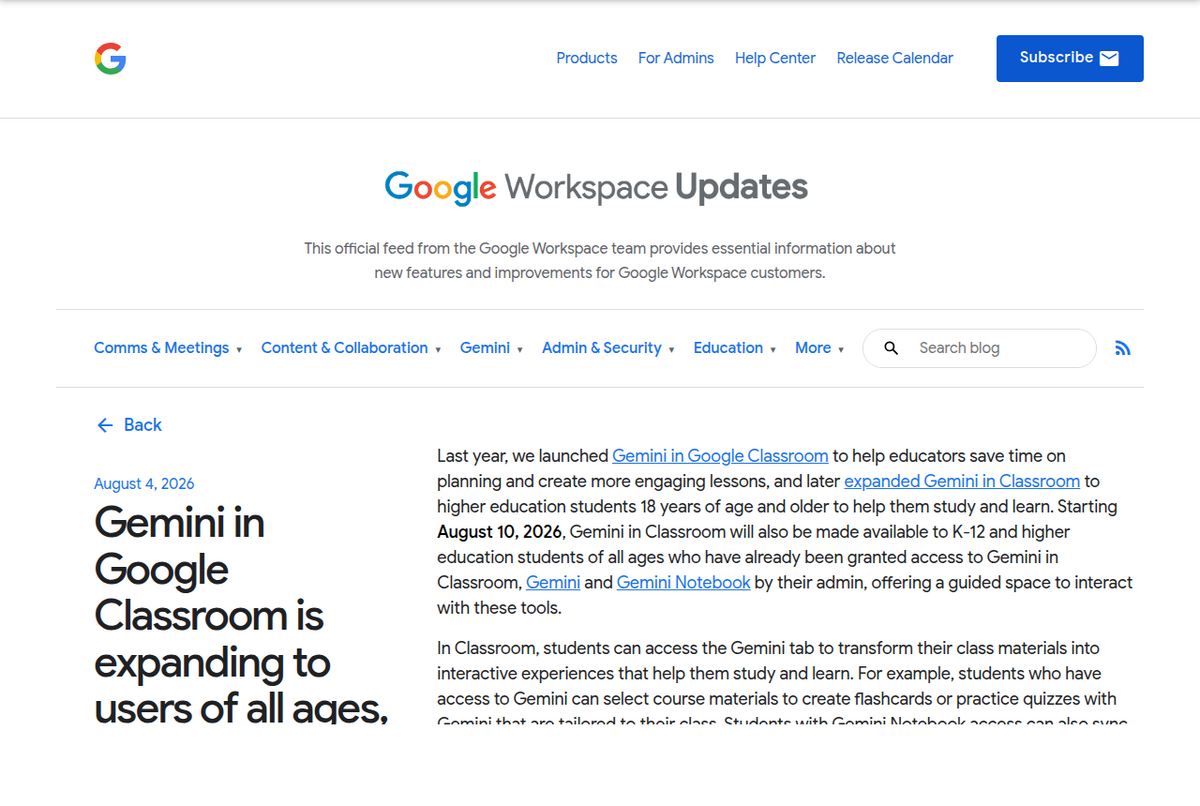
What Google actually said
Worth quoting directly, because the conditions in it are doing real work: "Starting August 10, 2026, Gemini in Classroom will also be made available to K-12 and higher education students of all ages who have already been granted access to Gemini in Classroom, Gemini and Gemini Notebook by their admin, offering a guided space to interact with these tools."
Three separate admin toggles, all of which have to be on. This is the detail that will generate the most confused support threads in the last week of August: a student hears the age limit is gone, opens Classroom, and finds nothing, because their district enabled Gemini but not Gemini Notebook. The age change removed one barrier out of four.
On the admin side, the Gemini tab is on by default for teachers and students of all ages and is governed by the existing Gemini in Classroom control. Schools that want to keep it away from younger pupils are told to put those users in their own organisational unit and disable it there. Rollout runs over one to three days for both Rapid Release and Scheduled Release domains.
The sync is the story
Here is Google's other sentence: "Students with Gemini Notebook access can also sync the materials provided by their teacher to Gemini Notebook, enabling them to create interactive study guides, audio overviews, infographics, and more."
If you have never built a notebook from a course, that sounds minor. It is not. The friction in source-grounded study tools has never been the AI part: it is assembling the sources. Downloading eight PDFs, three slide decks and a reading list out of Classroom, then uploading them one at a time into a notebook, is ten minutes of clerical work per unit, and it is exactly the step people skip. Removing it changes who bothers.
It also fixes a correctness problem nobody advertises. When students assemble sources by hand they get the wrong version: last year's slides, a chapter the lecturer replaced, notes from the wrong section. A synced notebook contains what the teacher actually assigned. For a tool whose entire value proposition is answering only from your sources, feeding it the right sources is not a convenience feature.
What a student can build once the materials are in
Google names study guides, Audio Overviews and infographics. The full Studio menu is wider than that, and the choice matters more than the tool does:
- Practice quizzes and flashcards. Classroom's own Gemini tab generates these from selected course materials too, and the full limits table sets how many you get a day. This is the option with real evidence behind it: retrieval practice is the most robustly supported technique in the learning-science literature, and it is also the one that feels worst, which is why it gets skipped.
- Study guides. Genuinely useful for orientation before a dense chapter. Genuinely useless as a substitute for reading it, because a summary of something you have not read cannot be checked by you.
- Audio Overviews. Free and Education tiers get three a day. Good for a commute, poor as a primary study method: listening produces a stronger feeling of comprehension than it produces comprehension.
- Infographics. New enough that most students have not tried them. Best for relationships between things, worst for anything sequential.
Our guide for students covers the workflow in full, and the flashcards and quiz guide covers the generation settings that make the questions harder than the default.
The privacy difference nobody mentions
This is the part that should matter to any teacher deciding whether to turn it on, and it did not appear in Google's post. Education accounts get a materially stronger data guarantee than the consumer product does.
On a personal account, Google's support documentation states that notebook content is not used to train foundational models unless you submit feedback, and if you do, that feedback can be reviewed by trained staff after being disconnected from your account, and retained for up to three years. On Workspace and Education accounts the wording is unconditional: uploads, queries and responses "will not be reviewed by human reviewers even when you provide thumbs up or down feedback, and will not be used to train AI models."
That difference is the strongest argument for students doing coursework inside the school account rather than a personal one, and it runs exactly opposite to how most students behave, because the personal account is the one already logged in.
What this is not
- Not a consumer change. Nothing here affects a personal Google account. The free student subscription offer is a separate matter, and it has ended.
- Not automatic access. Three admin toggles, all required. Districts move slowly on these.
- Not a change to usage limits. Education tiers still sit on the published caps: the free tier allows 100 notebooks, 50 sources each and three Audio Overviews a day.
- Not an academic-integrity policy. Google shipped a capability, not permission. Whether generated study material is acceptable in a given course is still the instructor's call, and it varies wildly.
People also ask
When does Gemini in Classroom become available to under-18 students?
10 August 2026 on the web and 17 August 2026 on mobile, rolling out over one to three days to both Rapid Release and Scheduled Release domains. It covers Workspace for Education Fundamentals, Standard and Plus.
Do students get it automatically?
No. It reaches only students whose administrator has already granted access to Gemini in Classroom, Gemini and Gemini Notebook. All three have to be enabled. If nothing appears on 10 August, that is the first thing to check with your school's IT team.
Can schools keep it away from younger students?
Yes. The Gemini tab is on by default for teachers and students of all ages, governed by the Gemini in Classroom control. Google's guidance is to place underage users in their own organisational unit and disable access for that unit.
What can students do with teacher materials in Gemini Notebook?
Sync the assigned materials into a notebook and generate interactive study guides, Audio Overviews and infographics from them, plus the rest of the Studio menu: flashcards, practice quizzes, mind maps and reports. The advantage over uploading by hand is that the notebook holds what the teacher actually assigned.
Is student work in Gemini Notebook used to train Google's AI?
On Workspace and Education accounts, no. Google states uploads, queries and responses are not reviewed by humans and are not used to train models, even if the student submits feedback. On a personal account the guarantee is weaker: content is not used for training unless you submit feedback, and feedback can be reviewed and retained for up to three years.
Does this affect the free Gemini student subscription?
No, they are unrelated. This is a Workspace for Education change controlled by your school's administrator. The consumer free-year student offer is a separate promotion, and Google's own FAQ now states it has ended.